Best Budgeting Apps for Families in 2026



Budgeting as a family is a different sport than budgeting solo or as a couple. There are more expenses and categories that didn’t exist before kids — childcare, school supplies, sports fees, that ever-growing list of streaming subscriptions — and there are long-horizon goals like college or a first car for a teenager.
The best family budgeting apps do two things a personal finance app doesn’t have to: let multiple people log in and offer kid-specific expense buckets and goal tracking. Since Mint shut down in March 2024, many families have been hunting for replacements. For broader options outside the family use case, see our best budgeting apps roundup or the best budgeting apps for couples if it’s just two of you.
The short version: Monarch Money is the top pick for households that want unlimited members and shared goals. YNAB is best for zero-based family budgeting and irregular income. Rocket Money is best for high-subscription households. EveryDollar is best for Ramsey-method families. Empower is best for free investment and net-worth tracking layered on top of spending.
About our methodology: We evaluate every app against a consistent set of criteria and then match the strongest performers to specific use cases, so you can find the app that best works for you. Read our full methodology here.
Quick Comparison: Best Budgeting Apps for Families
This table covers the five apps at a glance — multi-user access, kid-specific categories, goal tracking, whether bank sync is included on the free tier, and current monthly cost.
| App | Multi-User | Custom Categories | Goal Tracking | Bank Sync | Cost |
|---|---|---|---|---|---|
| Monarch Money | Unlimited logins | ✔ | ✔ | ✔ | $14.99/mo or $99.99/yr for Core |
| YNAB | Up to six logins | ✔ | ✔ | ✔ | $14.99/mo or $109/yr |
| Rocket Money | Shared view | With Premium | ✔ | ✔ | Free or $7–$14/mo Premium |
| EveryDollar | 2 logins with Premium | ✔ | Only with Premium | Only with Premium | Free or $17.99/mo Premium |
| Empower | Linked accounts | Limited | ✔ | ✔ | Free |
Pricing is accurate as of May 2026; offers change; verify terms.
Monarch Money — Best for Households That Budget as a Team
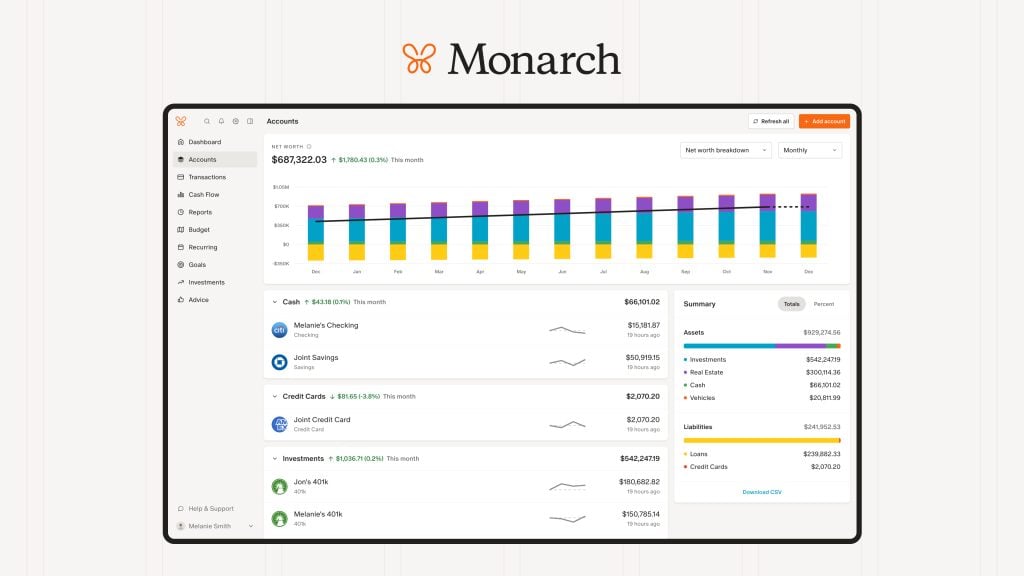
Monarch Money is the strongest pick for families because it lets unlimited household members log in and collaborate on a shared budget in real time. That alone solves the most common family budgeting problem: one person tracks the spending, the other doesn’t see it, and the budget falls apart by the third week of the month.
Two parents, a co-parenting household, or even an older teen managing an allowance can be added with different permission levels. Joint goals — a family vacation, an emergency fund, a home down payment — sit alongside everyday transactions, with progress updating as the household spends or saves. Custom categories make it easy to set up buckets like soccer fees, school lunch or tutoring for each kid.
Real-time sync means a purchase one spouse makes shows up on the other’s dashboard immediately, which can cut down on the “I didn’t know we spent that” arguments.
Monarch is $14.99 a month or $99.99 a year for the Core Plan, and one subscription covers the entire household. The annual plan (which comes out to about $8.33 a month) may pay for itself in reduced friction. Get 50% off your first year of the Core Plan with the code MONARCHVIP. Read our full Monarch Money review for more detail.
Pros
- Unlimited household members on one subscription
- Real-time syncing across users reduces communication gaps
- Clean joint-goal tracking with progress updates
Cons
- No free tier — only a 7-day trial
- Higher upfront cost than most family apps
YNAB — Best for Families Committed to Zero-Based Budgeting
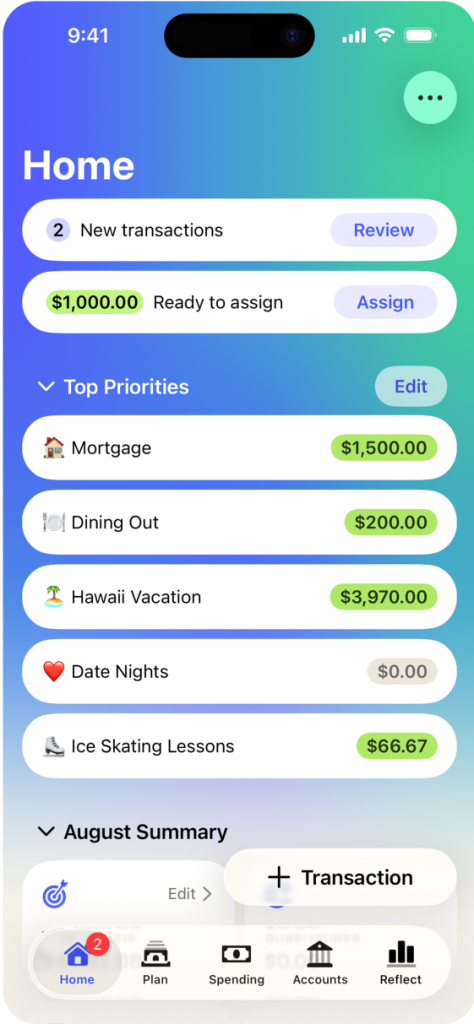
YNAB is the best budgeting app for families following a zero-based approach, with a single household subscription that covers up to six people.
The zero-based budgeting method’s premise — every dollar gets a job before the month starts — is especially well-suited to families with variable expenses like sports seasons, back-to-school shopping and holiday spending. It also handles irregular income — gig work, freelancing, seasonal pay — well, since each new dollar is assigned when it arrives.
YNAB’s Targets feature lets you set monthly savings goals against specific line items (a family vacation, a new HVAC, a car registration in November) and tracks progress automatically. If your family is paying off debt, you can use the Debt Payoff module to keep loans and credit cards in context with the rest of the plan.
There is a learning curve — most families need two to three weeks before YNAB’s logic feels natural. If a household needs something intuitive from day one, that may be a barrier.
YNAB is $14.99 per month or $109 per year. New users typically get a 34-day free trial. Read our full YNAB review for details.
Pros
- One household subscription covers everyone
- Excellent for irregular or variable family income
- Built-in debt payoff module
Cons
- Steeper learning curve than other apps
- No free version (34-day free trial)
Rocket Money — Best for Families With High Monthly Subscription Spend

Rocket Money is the right pick for families who want to identify and cut unused subscriptions while keeping a full view of household spending. If your household has streaming services, school software, gaming apps and cloud storage, Rocket Money can surface them all in one dashboard.
The app automatically detects recurring charges across linked accounts — the kind that can quietly stack up. With the free version, you can track the subscriptions; with Premium, Rocket Money can helpfully cancel subscriptions for you — one less phone call or email to add to your busy schedule.
And for a separate fee, Rocket Money can negotiate lower rates on cable, internet and phone bills on your behalf. Available to Free and Premium users, you only pay the fee if the bill negotiation is successful, and the savings may offset the cost — but not always.
Rocket Money’s free tier is unusually generous, allowing you to sync checking, savings and credit accounts, which gives you a household-wide cash-flow picture. The free plan also lets you add up to two custom categories, although that may not be enough for some families.
Premium runs about $7 to $14 per month and offers unlimited custom categories. It also includes net-worth tracking, including the option to manually enter your home value. Read our full Rocket Money review for the full feature breakdown.
Pros
- Strong free tier includes subscription tracking
- Bill negotiation savings can offset its separate fee
- Whole-household net worth management with Premium
Cons
- Not a true zero-based budgeting tool
- Unlimited custom categories are limited to Premium
EveryDollar — Best for Ramsey-Method Families
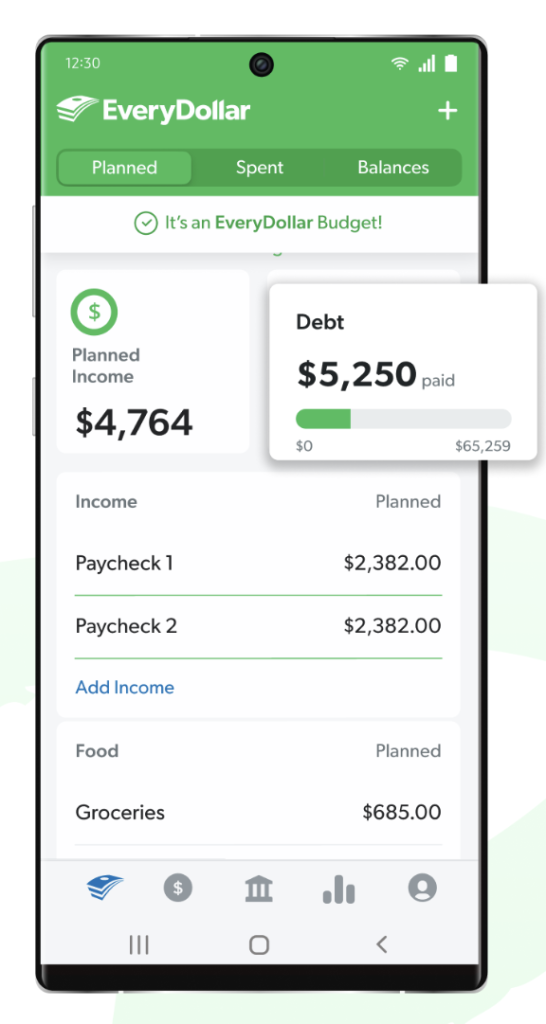
EveryDollar is the best budgeting app for families following Dave Ramsey’s 7 Baby Steps, with a simple zero-based structure and a free manual-entry tier. Categories map directly to Baby Steps priorities — emergency fund, debt snowball, retirement, college fund — so households already using Financial Peace University can run their plan inside the same framework.
Manual transaction entry is free, but you’ll have to pay for the Premium to get account syncing.
EveryDollar includes a Baby Step 5 (college fund) category by default, which can help families allocate toward a 529 plan inside the monthly budget. Households that aren’t following Ramsey may find the Premium tier expensive relative to alternatives.
EveryDollar is free for manual entry. Premium runs $17.99 per month or $79.99 per year and adds bank sync. You can share an account, but you’re limited to one other person. Read our full EveryDollar review before deciding.
Pros
- Free manual-entry tier
- Built-in Baby Steps and college-fund categories
Cons
- Bank sync is only available with Premium
- Premium pricing is steep for features
Empower — Best for Families Tracking Investments and Net Worth
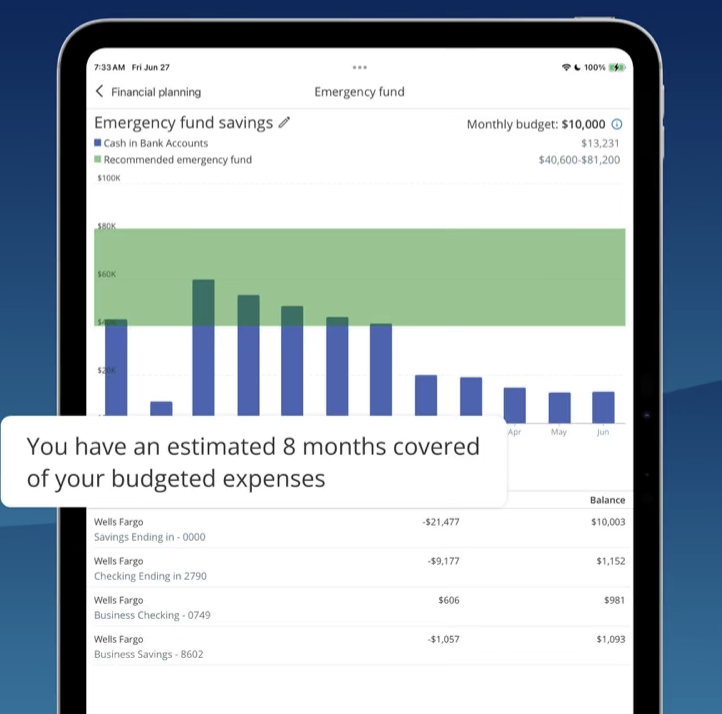
Empower is the best pick for families who want to track investments, retirement accounts and household net worth without paying for those tools. Its personal finance tools — spending, net worth, investment tracking, retirement fee analyzer and planner — are available at no cost. (Empower also offers a separate Wealth Management advisory service that requires a $100,000 minimum. That’s a different product; the personal finance tools used here don’t require a managed account.)
You can have separate and joint accounts with your spouse. Linking both partners’ 401(k), IRA, brokerage, savings and mortgage accounts gives a household-level financial picture in one dashboard. The fee analyzer surfaces how much the family is paying in investment fees each year — for households with old 401(k)s, that number can be eye-opening.
The retirement planner projects whether a household is on track based on current savings rate and expected growth — useful when families save for college and retirement at the same time.
Empower’s spending tracker is less detailed than Monarch’s, so many families pair Empower with another app for daily categories. For more zero-cost options, see our guide to the best free budgeting apps.
Pros
- Personal finance and investment tools available at no cost
- Strongest investment and retirement fee analyzer in the category
- Retirement projection tool for long-horizon planning
Cons
- Spending categorization less granular than Monarch or YNAB
- Wealth Management service may trigger sales calls
What to Look For in a Family Budgeting App

The right family budgeting app depends on how your household actually spends, saves and shares money. Five questions can shortcut the decision.
- Does it support multiple users? Both parents (and potentially an older teen) may need to log in and update the budget together. Without true multi-user access, one person ends up doing all the tracking.
- Can you create custom categories for kids’ expenses? School lunches, activities, childcare and clothing can be tagged by child if the app allows custom budget categories.
- Does it track family goals? College savings, vacation funds and home projects all benefit from goal-based tracking visible to everyone in the household.
- Is bank sync free? EveryDollar locks sync behind a Premium subscription, while Rocket Money and Empower include sync on their free tiers.
- How does it handle variable income? YNAB and other zero-based methods adapt well to gig work and seasonal jobs. Pairing a sinking fund with the right app handles unpredictable bills like car maintenance and holiday gifts. For more on choosing an approach, see our overview of budgeting methods.
How to Set Up a Family Budget in Any App (Quick Start)
While you can follow the steps in an individual app, there are essentially six steps that can get your household up and running with a budgeting app in under an hour.
- List every income source: Include primary salary, partner income, side gig, child support freelance.
- List fixed expenses: Include rent or mortgage, utilities, insurance, loan payments, childcare.
- Add variable expenses: Include groceries, gas, school supplies, activities, clothing.
- Set one to three family goals: Perhaps a 3- to 6-month emergency fund, a vacation fund, college savings.
- Invite all household members so everyone sees the same numbers.
- Schedule a 15-minute monthly review to compare actual versus planned.
A budget calculator or monthly budget template can speed up steps one through four. For what to do when the budget breaks down mid-month, see how to stick to a budget.
Frequently Asked Questions
Monarch Money is the top pick for a family of four because it allows unlimited household members to log in and collaborate on a shared budget. YNAB is the best alternative if the family wants a zero-based budgeting structure. Both cover the whole household under one subscription.
Yes, but families typically need more from an app than couples do. Family budgeting apps need kid-specific expense categories, multi-user access for parents (and possibly older children), and goal tracking for longer timelines like college savings. The best budgeting apps for couples may not support these features as robustly.
Rocket Money and Empower both have strong free tiers that can work for families. Rocket Money’s free tier includes account sync, spending categories and subscription tracking. Empower’s free tier includes investment tracking and net worth monitoring. EveryDollar is free for manual entry and works well for families new to budgeting.
Monarch Money is the best for tracking kids’ expenses because it lets you create fully custom categories — individual buckets for each child’s activities, school supplies, clothing and healthcare. YNAB also allows granular category creation within its zero-based structure.
YNAB is the top choice for families paying off debt. Its zero-based budgeting method assigns every dollar a job, and its Debt Payoff feature tracks loan progress in context with the household budget. EveryDollar is best for families following the debt snowball approach.
Final Verdict
The best budgeting app for your family is the one that fits how your household actually runs. Monarch Money is the broadest pick for households that want everyone on the same financial page; YNAB is the right tool for zero-based families and debt payoff.
Rocket Money is a good fit if subscriptions are eating into the budget; EveryDollar is the likely choice for Ramsey followers; Empower is the strongest free option for households focused on investments and net worth.
All five can work — but pick the one your household will actually open. The best app is the one still being used in month three.
About our methodology: We evaluate every app against a consistent set of criteria and then match the strongest performers to specific use cases, so you can find the app that best works for you. For the best budgeting apps for families, we weighted ease of sharing finances and joint bill tracking most. Read our full methodology here.