Best Cash Back Apps and Sites for Everyday Shopping Rewards


Long gone are the days when you needed to clip physical coupons. Today, the best coupons are the cash-back apps that help shoppers earn rebates on everyday purchases, like groceries, gas and online shopping.
Install these apps on your phone or computer, and most of them will automatically start helping you save. Popular options like Rakuten, Ibotta, Upside and Fetch Rewards give users small rebates on purchases through partner retailers. You can even combine some cash back apps to increase rewards across different types of purchases.
Best Cash Back Apps at a Glance
Some of the most popular cash back apps offer rewards for groceries, gas purchases and online orders.
- Capital One Shopping – best for coupons and price comparisons
- Upside – best for saving on gas
- Rakuten – best for online shopping at major retailers
- Ibotta – best for In-person grocery shopping
- Fetch Rewards – best for scanning receipts
- Shopkick – best for window shoppers
- PayPal Honey – best for automatic coupon codes
- ReceiptPal – best for gamified earning
- Receipt Hog – best for multiple ways to earn
Each app offers different reward structures, so you can use more than one platform to maximize their savings.
Pro tip: Want to save even more? You can maximize your earnings by using a cash back app and a rewards credit card when you shop to stack your savings.
Cash Back Apps vs. Money-Making Apps
Unlike money-making apps, cash-back apps don’t pay you to work. Instead, they give you small rebates when you shop. For example, when you buy something through one of the partners’ apps or sites, the retailer pays the platform an affiliate commission, and the app shares part of that with you. The result: Usually a modest reward, from a few cents to a few dollars per purchase.
Because of that, cash-back apps are used as a way to save a little on everyday spending, rather than as a meaningful source of income like gig or task-based apps.
Best Cash Back Apps for Shopping Online and In Stores
The best cashback apps can help you earn rewards from everyday purchases such as groceries, gas and online shopping. Each platform works slightly differently, but most share affiliate commissions from retailers with users as rewards.
Below are several of the most popular cash back apps to earn rewards and our reviews of them.
Capital One Shopping
Best for: Coupons and price comparisons
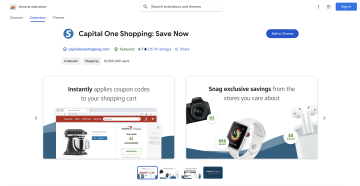
Capital One Shopping helps online shoppers find coupon codes and earn rewards through its free browser extension and mobile app.
The extension automatically searches for coupon codes during checkout and compares prices across multiple retailers.
You can typically redeem rewards as gift cards once you reach the minimum balance. I’ll give this one credit for its ease of use: I added the extension and pretty much forgot about it until I checked the app a few weeks later to discover I had earned $10 to redeem for a gift card. Not too shabby!
Pros
• Automatic coupon search on sites like Apple, StubHub and QVC
• Price comparison tools, including for hotel deals (although the date selection feature was wonky when I tried it on my phone)
• Easy browser extension setup
Cons
• Rewards often paid as gift cards
• Primarily focused on online purchases
Upside
Best for: Saving on gas
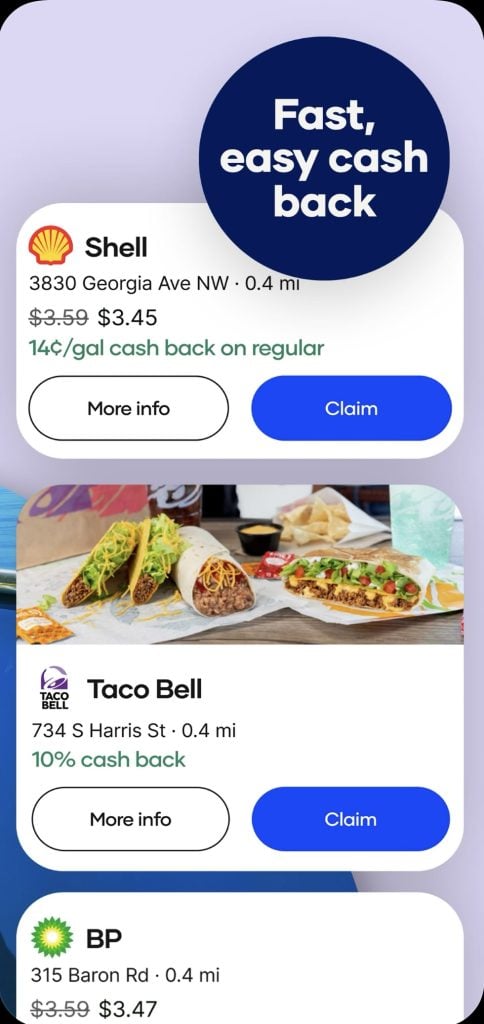
Upside helps you earn cash back on gas, with some offers for restaurants and groceries as well. Claim a deal in the app, fill up at a participating station, and verify the purchase by uploading a receipt or linking your card. I did discover you can’t link Apple Pay and have to upload a receipt, but the savings I got at the pump more than made it worth the minor inconvenience.
Most rewards fall in the range of 5 to 25 cents per gallon, depending on where you are and what offers are available. But bonus rewards can go even higher — I claimed 76 cents/gallon cash back at a Circle K.
Pros
• Strong cash-back rates on gas
• Easy, straightforward redemption process
• Available at many gas stations
Cons
• Limited reward categories beyond gas
• Offers vary by locationSee our full review of the Upside app.
Rakuten
Best for: Online shopping at major retailers
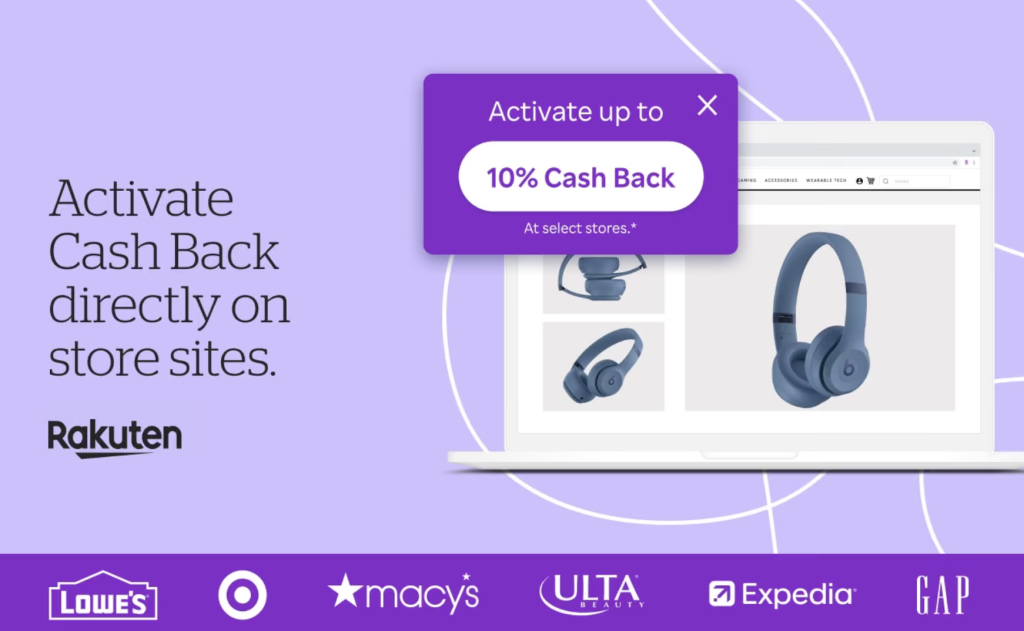
Rakuten lets you earn cash back when you shop through its app, website or browser extension. It partners with thousands of retailers, including big names like Walmart, Macy’s and BestBuy. Most offers fall between 1-10% cash back, though occasional promotions bump those rates higher. When I checked the app, I saw Ulta (10%), Old Navy (2%) and Target (1%), plus app-exclusive offers for 15% cash back with Under Armor, Tumi and Lego.
While shopping online is the easiest option, you can also use the app to search for In-Store Cash Back options and pay with a card linked to your Rakuten account. Once your balance hits the minimum, Rakuten sends you earnings via PayPal or a mailed check.
Pros
• Large network of online retailers
• Easy browser browser extension that tracks cash back automatically
• Low payout threshold
Cons
• Payments only go out once per quarter
• Primarily focused on online purchases
Pro tip: Don’t go checking your mailbox every week for a check from Rakuten. It promotes its “Big Fat Check,” but payments are only made quarterly (February, May, August and November).
Ibotta

Best for: In-person grocery shopping
Ibotta focuses on cash back for groceries, household essentials and some online purchases. Browse and activate offers in the app before you shop, then earn rewards after buying those items. Ibotta partners with thousands of stores, including traditional grocery stores Publix and Kroger; warehouse retailers Costco and Sam’s Club; and big-box retailers Target and Walmart.
To get the cash back, you either upload your receipt or link your store loyalty account so purchases are tracked automatically. Rewards vary by item and promotion, but most grocery stores offer a few cents to a few dollars. Ibotta’s site says that their shoppers earn an average of $261 a year.
Pros
• Strong grocery-focused rebates
• Potential for big earnings
• Frequent bonus offers and promotions
Cons• Requires activating offers before shopping
• May require uploading receipts
Shopkick

Best for: Window shoppers
Shopkick allows users to earn points called “kicks” by completing activities such as scanning products in stores, uploading receipts or shopping through the app. That means you don’t actually have to buy anything to start earning — although you earn more if you do make a purchase.
For example, when I was in Walmart, I got 15 kicks just for scanning a box of Breathe Right strips. However, I would’ve gotten 560 kicks if I’d purchased it and uploaded the receipt. Points accumulate over time and you can redeem them for gift cards once you reach the redemption threshold.
Pros
• Multiple ways to earn rewards
• No purchase necessary to earn at least some rewards
• Simple mobile interface
Cons
• Small rewards per activity
• Requires regular app use
Fetch Rewards

Best for: Receipt scanning rewards
Fetch Rewards allows users to earn points by uploading receipts from grocery stores, convenience stores and many other retailers, including GNC, Sam’s Club and Amazon. The app will even let you know which partner retailers are nearby. You can also earn points by playing mobile games in the app.
Most receipts earn a small number of points, while certain brands offer higher rewards through special promotions — I saw some as high as 100 points per $1 spent.
Points can be redeemed for gift cards once the required redemption threshold is reached.
Pros
• Extremely easy to use
• Accepts receipts from many stores
• No need to activate offers
Cons
• Rewards paid in gift cards
• Earnings per receipt can be small
PayPal Honey
Best for: Automatic coupon codes
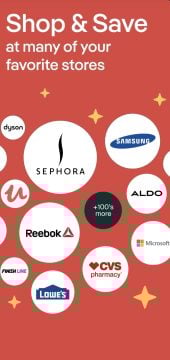
PayPal Honey is a free browser extension that PayPal acquired in 2020. It helps you save money online by automatically testing coupon codes at checkout at thousands of places, including The Home Depot, Temu and eBay. If you’re shopping at a retailer that’s offering deals, the Honey icon will light up.
It also has a rewards program called PayPal Rewards (formerly Honey Gold), which lets you earn points on certain purchases, which appear in your PayPal Balance account. You can then redeem them for cash or gift cards.
Pros
• Automatically searches for the best coupon codes
• Get sale and price-drop notifications
• Alerts you to potential deals as you shop
Cons
• Cash redemption options require a valid PayPal account in good standing.
• Rewards vary depending on the retailer
ReceiptPal
Best for: Gamified earning
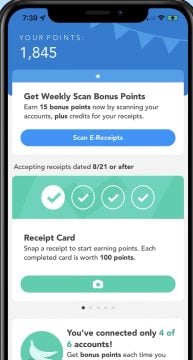
ReceiptPal is a free mobile app that’s perfect for those who are OK with smaller rewards if it can lead to the chance at a better one. You can submit your valid receipts from any retailer to earn points that you can redeem for gift cards. And every validated receipt earns you one entry entered into a weekly sweepstakes for bigger prizes.
You won’t likely earn a ton with ReceiptPal — or quickly. It takes four receipts to complete a point card, worth 100 points, and you need 2,200 points to earn a $5 gift card. But when you complete a point card, you also earn an instant-win game to earn extra points. Most shoppers report earnings between $10 and $25 per year.
Pros
- No restrictions on brands or stores for submitting valid receipts
- Automatic sweepstakes entry with every validated receipt
Cons
- Takes a long time to earn enough points for rewards
- Limited time for submitting receipts
Receipt Hog
Best for: Multiple earning opportunities
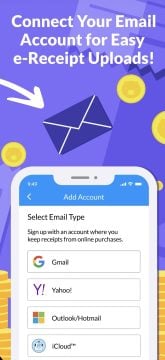
Snapping receipts is just the beginning when you use the Receipt Hog app. You can also collect rewards by linking loyalty accounts, answering surveys and playing games like hog slots to win extra coins.
The interface on this one is a little chaotic at first, but once I got the hang of it, the app was fairly simple to use. And I liked that it always displayed how many coins I needed before I could redeem for a gift card at retailers like Amazon, Chewy and DoorDash.
Pros
- Gamified earning makes it simple and fun
- Simple to upload receipts
Cons
- Weekly cap on earnings
- You’re sharing even more of your personal data when you answer surveys
Quick Comparison of Popular Cashback Apps
Different cashback apps reward different types of purchases, which is why many shoppers use several apps together. Some apps focus on online shopping while others specialize in groceries, gas purchases or receipt scanning.
Comparison table
| App | Best For | Typical Reward | Payout Method | Minimum Cash Out |
|---|---|---|---|---|
Upside |
Saving on gas |
5–25¢+ per gallon |
PayPal, bank transfer, gift cards |
~$10 |
Rakuten |
Online shopping at major retailers |
1%–10% purchase cashback |
PayPal, check, Bilt Points |
$5.01 (paid quarterly) |
Ibotta |
In-person grocery shopping |
$0.25–$3 product rebates |
PayPal, bank account, gift cards |
$20 |
Fetch Rewards |
Scanning receipts |
Points per receipt |
Gift cards |
Varies |
Shopkick |
Window shoppers |
Points per activity |
Gift cards |
Varies |
PayPal Honey |
Automatic coupon codes |
Rewards points |
Gift cards or cash |
Varies |
Receipt Pal |
Gamified earning |
Points |
Gift cards |
2,200 points |
Receipt Hog |
Multiple ways to earn |
Coins |
PayPal, Amazon and Visa e-gift cards |
1,000 points |
Popular Cashback Categories
Many shoppers use different cashback apps depending on the type of purchase they are making.
Online shopping
Capital One Shopping, Rakuten
Groceries
Ibotta, Fetch Rewards
Gas purchases
Upside
In-store rewards
Shopkick
Using category-specific apps can help maximize rewards across everyday spending.
What Are Cash Back Apps?
Cash back apps are tools — usually mobile apps or browser extensions — that let you earn money or rewards when you shop with participating retailers. They work by partnering with brands that pay a commission for referrals. When you make a purchase through the app, it earns that commission and passes a portion of the commission back to you as cash back. You can typically redeem rewards as PayPal transfers, bank deposits, gift cards or points that convert into rewards.
How Cash Back Apps Work
Cash back apps track your purchases and give you a small share of the commission retailers pay for sending them business.
The process usually works like this:
- You activate an offer or shop through the app or extension
- The purchase gets tracked by the platform
- The retailer pays the app a referral commission
- The app shares part of that commission with you as cash back
Some apps require you to upload a receipt, while others track everything automatically through a browser extension or a linked payment card.
How Much Money Can You Make With Cash Back Apps?
Most people can earn anywhere from a few dollars to a few hundred dollars per year with cash back apps. It depends on how much you spend and how often you use the apps.
For example, if you’re spending $500 a month on groceries and online shopping and earning an average of 3-5% back, that works out to roughly:
• $15–$25 per month
• $180–$300 per year
Your actual earnings will vary based on the offers available, your spending habits and how consistently you use the apps.
Are Cash Back Apps Legit?
Most well-known cash back apps are legitimate. They partner with retailers to offer rewards when you make qualifying purchases. Many of the biggest apps have millions of users and established relationships with major brands. They make money through affiliate commissions or brand partnerships, then pass a portion of that back to users as cash back. That said, it’s still worth reading the fine print. Payout minimums, expiration dates, reward timelines and available offers can vary, and they do change from time to time.
Are Cash Back Apps Worth It?
Cash back apps can be worth it if you treat them like a sidekick to your regular spending, rather than as a paycheck. They’re best for earning small rewards on things you’re already buying. While you’re not likely to make serious money, the savings can build over time if you use a few apps consistently. For example, stacking grocery rebates, gas rewards and online shopping cash back can turn everyday purchases into extra savings throughout the year.
Tips to Maximize Cash Back Earnings
Squeeze a bit more value out of cash back apps with a few simple habits. I’ve rounded up the following tips from serious shoppers, which has helped me earn more when using the apps:
• Use multiple apps for the same purchase when possible
• Activate grocery offers before you shop — consider letting it help you decide your grocery list from week to week
• Install browser extensions so you automatically earn online
• Upload receipts regularly instead of letting them pile up
• Check in with the apps regularly to learn about bonus promos and seasonal offers
FAQs: Cash Back Apps
It depends on how you spend. Rakuten is a go-to for online shopping; Ibotta is strong for groceries; and Upside is geared toward gas purchases. Most people use a mix to cover more categories.
Yes! They pay real rewards when your purchases qualify. Retailers give the app a commission for sending them customers, and the app shares part of that with you as cash back or points.
It depends. Some apps offer better rewards in specific categories, such as higher grocery rebates or boosted online cash back during promotions. It all depends on what and where you’re buying.
The app that gives the most cash back often depends on where and how you shop. If most of your money is going toward every day essentials like gas and groceries, Upside is great. Rakuten is ideal for the online shopper.
They are considered safe if you download them from official app stores and follow their guidelines. It’s still smart to review privacy settings and understand payout rules before using any app.
Final Verdict
Cash back apps won’t make you rich, but they’re an easy way to earn a little back on everyday spending. Apps like Rakuten, Ibotta, Upside and Fetch Rewards each focus on different areas: Online shopping, groceries, gas and receipt scanning. Using a few together can help you pick up small rewards across the board. If you stay consistent by activating offers, uploading receipts and shopping through the apps, they can add up over time.
The Penny Hoarder contributor Danielle Braff is a Chicago writer who specializes in consumer goods and shopping on a budget. Her work has appeared in the New York Times, Washington Post, Real Simple and more.