Best Money Apps for Kids and Teens: A Guide by Age Group



Teaching kids about money used to mean a piggy bank or a trip to a stodgy bank to set up a kiddie savings account they never saw. These days, phone apps can help parents who want to raise financially confident, tech savvy kids.
The challenge is that the right money app for a 7-year-old learning to split her allowance into “save,” “spend” and “give” jars may look a lot different than the right app for a 16-year-old who needs a debit card for gas and Chipotle. The features that matter most — chore tracking, parental controls, debit access, savings goals — change a lot between elementary school and high school.
To make this easier, we sorted the best money apps by age group. Jump straight to apps for kids ages 6–12 if you have a younger child, or skip ahead to teen banking apps if you have a high schooler ready for more independence.
We’ll answer important questions like: Which apps have parental controls worth using? Which ones are free, and which ones charge a monthly fee? And maybe most importantly: Are the paid apps worth it?
Why Money Apps Work for Teaching Kids About Finance
Money apps work because they turn abstract financial concepts into something kids can see and act on. Watching a savings goal fill up on a screen or using a debit card with a real spending limit teaches money lessons in real time way better than a lecture can .
Kids learn money management best by doing — making small choices, seeing real consequences and adjusting. The right app gives them a safe sandbox to practice in while parents stay in the loop through notifications and spending controls.
The right app depends more on your child’s age and financial maturity than on any single feature. A 7-year-old does not need a Visa card. A 16-year-old probably does not need a chore chart. Match the app to the developmental stage.
Best Money Apps for Families With Multiple Kids
If you’ve got kids that span the ages, it may be cost-effective to use one finance app for all of them, like Greenlight.
Greenlight
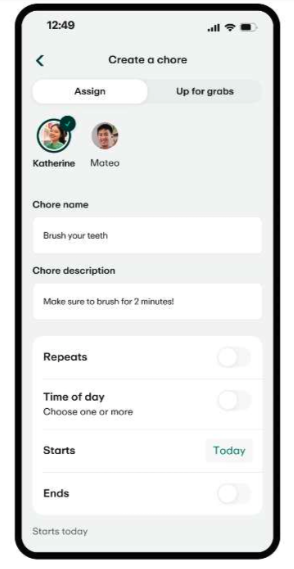
Greenlight — a kids and teens debit card and money app with chore tracking, savings goals and educational content built in.
- Cost: Plans start at $5.99/month for up to five kids.
- Best for: Families with multiple kids who want one app that grows with them from age 6 through 18, although there’s no minimum or maximum age for creating an account.
- Key features: Chore-based allowance, interest-earning savings, in-app investing for kids on higher tiers and learning tools.
- Parental controls: Parents can approve spending categories, set per-store limits, see real-time transactions, and turn the card on or off.
Our take: Greenlight is the most versatile family money app. The trade-off is that you may pay for features younger kids will not use yet, but as a stand-alone teen card, free options may make more sense. The price is more reasonable when split across multiple kids.
Best Money Apps for Kids Ages 6–12
Money apps for younger kids focus on the basics: earning, saving, spending and sometimes giving. The best ones combine an allowance or chore system with strong parental controls and easy-to-understand savings goals. Most charge a monthly fee, but several are well worth it for families who use them consistently.
Acorns Early (formerly GoHenry)
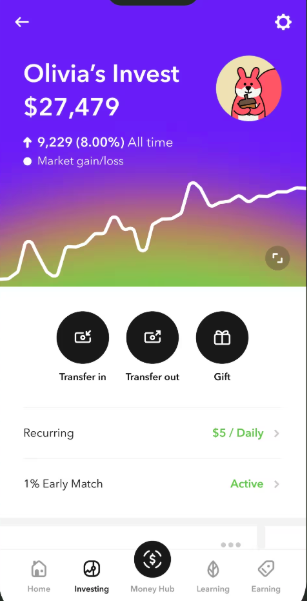
Acorns Early — formerly GoHenry, now rebranded in the US as part of the Acorns family. A kids debit card and chore-tracking app designed for ages 6 to 18.
- Cost: $8/month for Acorns Early Lite, which covers up to four kids.
- Best for: Younger kids whose parents want a focused chore-and-allowance system without extra investing features.
- Key features: Built-in chores and allowance tracker, savings goals and age-tailored money lessons.
- Parental controls: Parents get real-time spending notifications, set spending caps and block age-restricted spending categories.
Our take: Acorns Early tends to feel simpler than Greenlight and may be a better fit for elementary-aged kids who are not ready for investing. The rebrand to Acorns Early is complete in the US — if you see GoHenry branding, it refers to the same product.
BusyKid
BusyKid — a chore and allowance app paired with a prepaid Visa card, with a focus on save-spend-share-invest categories.
- Cost: $4/month per family up to five kids (billed annually at $48/year).
- Best for: Budget-conscious families who want chore tracking and simple investing in one app.
- Key features: Chore and allowance assignments by age, stock investing for as little as $10, charitable giving built in and a Visa prepaid card.
- Parental controls: Parents approve chores, fund payouts and can review every transaction.
Our take: BusyKid may be the best value of the paid kids apps if you want one tool that handles allowance, saving and a first investing experience. The prepaid card and app interface can feel less polished than Greenlight, but the price reflects that.
FamZoo
FamZoo — a virtual family bank that uses prepaid cards and detailed allowance ledgers to teach money management.
- Cost: $5.99/month or $59.90/year for the whole family
- Best for: Families who want detailed allowance ledgers, IOU tracking and a more “real bank” feel.
- Key features: Multiple savings accounts per child, parent-paid interest, chores tied to reward or penalties, and reloadable prepaid cards for older kids.
- Parental controls: Full visibility into every account, ability to set automated transfers and customizable rules per child.
Our take: FamZoo is best for parents who want to maintain control and their kids’ access to accounts, which can be helpful for younger kids or those needing more guardrails. The interface may feel dated, but the features are deep.
Best Money Apps for Teens Ages 13–18
Teen money apps work differently than apps for younger kids. The focus shifts from chores and savings jars to real-world banking for kids making and spending income on their own. Accounts typically include debit cards, direct deposit, mobile payments and parental visibility instead of full control. Most teen options are free or have a free tier, which can make them attractive to families just starting out.
Step
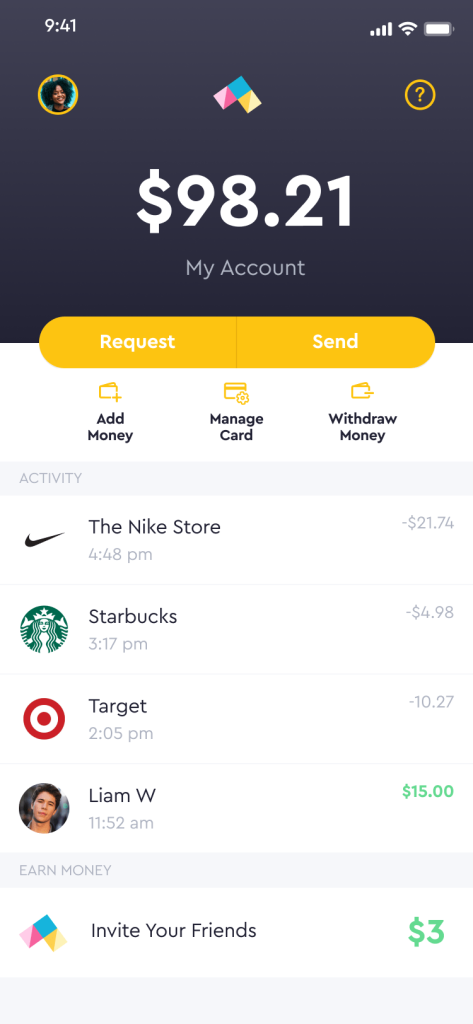
Step — a teen banking app (although you can get an account for any age) with a Visa card that helps teens build credit history before they turn 18.
- Cost: No monthly fee on the standard plan; Step Black is $4.99/month or free with qualifying direct deposit.
- Best for: Teens who want real banking independence and a head start on credit history.
- Key features: Credit-building Visa card with no overdraft, investing with as little as $1 and peer-to-peer payments.
- Parental controls: Parents (sponsors) can fund the account, restrict investment options and lock the card.
Our take: Step can be a strong free option for older teens who are ready for hands-on banking. The credit-building feature is unusual at this age and may be valuable, though results vary based on how the card is used.
Capital One MONEY
Capital One MONEY — a free teen checking account from Capital One with a Visa debit card and parental oversight tools, available for ages 8 to 18.
- Cost: No monthly fee, no minimum balance, no fee to open.
- Best for: Families who want a completely free teen debit account backed by a major bank, with no separate app subscription required. Teens get their own login to the Capital One app to access their account.
- Key features: Visa debit card, automatic allowance transfers, savings goals, interest earned on balance and Zelle access (ages 13+ with parental approval). We originally had trouble syncing accounts to set up Zelle access for our own Gen Z tester, but we liked that you can add cash to the card at places like CVS and Walgreens, which keep much more convenient hours than any bank.
- Parental controls: Parents can monitor spending, lock or unlock the card, set transaction alerts, send automatic allowance, and control Zelle access — all from the Capital One Mobile app.
Our take: Capital One MONEY may be one of the best free options for teens who are ready for real banking independence. No existing Capital One account is required to open one, and the parental oversight tools are comparable to paid apps. The trade-off is no chore tracking or built-in financial lessons.
Chase High School Checking
Chase High School Checking — a teen debit card account from Chase, available to existing Chase customers.
- Cost: No monthly service fee; a parent must have a qualifying Chase checking account and you must open the account at a Chase branch.
- Best for: Existing Chase households who want a free debit card option for ages 13 to 17
- Key features: Chase-issued debit card, Zelle access, direct deposit, mobile banking and savings goals.
- Parental controls: Parents receive account alerts, teen account is linked to the parents’ account.
Our take: Chase High School Checking can be a no-brainer if you already bank with Chase. If you do not, opening a Chase account just for this may not be worth it compared to free, app-only options.
Quick Comparison: All Apps by Age and Feature
Use this side-by-side table to narrow down which apps to consider based on your child’s age, your budget, and the features that matter most to your family.
| App | Best Ages | Monthly Cost | Debit Card | Chores/Allowance | Best For |
|---|---|---|---|---|---|
| Greenlight | 6–18 | $5.99+/mo (up to 5 kids) | Yes (Mastercard) | Yes | Most versatile family app |
| Acorns Early | 6–18 | $8+/mo (up to 4 kids) | Yes (Visa) | Yes | Younger kids, chore and allowance focus |
| BusyKid | 5–17 | $4/mo (up to 5 kids) | Yes (Visa Prepaid card) | Yes | Budget-conscious families |
| Famzoo | 5–18 | $5.99/mo (unlimited family members) | Yes (Prepaid Mastercard) | Yes | Parental controls and kids not ready for a debit card (IOU option) |
| Step | 13+ | Free for basic ($4.99 for Step Black or free with qualifying direct deposit) | Yes (Visa) | No | Teen independence, investing |
| Capital One MONEY | 8 to 18 | Free | Yes (Visa) | No | Teens ready for real banking independence |
| Chase High School Checking | 13–17 | Free (Adult Chase checking account required) | Yes (Visa) | No | Existing Chase customers |
Pricing is current at publication and may change. Verify the latest plan and terms before you sign up.
Free vs. Paid Money Apps for Kids: Is It Worth It?
Most of the best kids money apps cost about $4 to $10 per month, while many teen banking apps are free. Whether the paid options are worth it depends on how much you value chore tracking and a single app that grows with your family.
Compare that monthly fee to what financial mistakes can cost a young adult later. High-rate credit card balances may take years to pay off. Spending $5 a month to help a child build money habits may pay for itself many times over — you know your child best and what may help them.
A free teen banking app may cover everything a 15-year-old actually needs. A paid family app may be the better choice if you have multiple kids across different ages or want chore-based allowance built in.

How to Use a Money App to Teach Kids About Budgeting
A money app does not teach budgeting on its own. The app makes conversations easier by giving you something concrete to point at: a savings goal, a chore that was completed, a category that ran over.
A few habits can help families get more out of any money app:
- Set up automatic allowance tied to chores so kids see the link between work and money.
- Pick one savings goal together — a toy, a video game, a trip — and watch the fund grow week by week.
- Review spending once a week, especially for tweens and teens, to spot patterns and discuss trade-offs.
- Match age-appropriate conversations to the app: needs vs. wants for younger kids, budgeting and saving for older kids.
Younger kids may benefit from talking through the family budget with a parent so they can see how their app fits into a bigger household plan. As kids get older, encourage them to take ownership of more decisions inside the app.
Older teens may benefit from a parent-led walk-through of the budgeting for beginners guide before they start managing their own paycheck. The same percentage-based ideas adults use can scale down to a teen’s allowance.
Parents who already use a budgeting app for the family’s finances may find it easier to model good habits. If you’re looking for one that your teen can use, too, we recommend Monarch Money. Teens can get their own login, syncing their own accounts so they can manage their own budget. You can limit how much they see of the family’s finances by setting permission levels.
Frequently Asked Questions
Greenlight is often the best all-around money app for kids because it grows with the family from ages 6 to 18 and includes chores, savings goals and a debit card on one account. The best app for your family may differ depending on your child’s age, your budget and whether you want investing built in.
Many families start using kids money apps around age 6 or 7, when children can grasp earning, saving and spending. Apps with debit cards typically work best for ages 8 and up, while teen banking apps are designed for ages 13 to 18. Match the app to your child’s readiness, not a strict age.
Reputable kids money apps — like all the ones on our list — use bank-level encryption, are FDIC-insured themselves or through partner banks, and include parental controls that let adults limit or pause access at any time. No app is risk-free, so review the privacy policy and check whether the company has had any recent security or data issues before signing up. Results vary based on how the app is used.
Step, Capital One MONEY and Chase High School Checking are among the most popular free options for teens, each with no monthly fee (Step has a free basic plan and a premium Step Black that’s free with qualifying direct deposits). The right choice may depend on whether you already bank with Chase, want credit-building features (Step) or want a major-bank account with no subscription (Capital One MONEY).
Yes, but only with a parents’ permission for children under age 13. The Children’s Online Privacy Protect Act is a U.S. federal law designed to help protect children by regulating the collection and use of personal info. Most finance apps for kids require a parent or legal guardian to consent before the app can collect personal information online from a child, but some apps will sell information to third parties. Read the terms of a finance app before giving any personal information about your child.
Teen banking apps typically do not have as many parental controls, which you may want for a younger kid still learning concepts about money. Younger kids can use family money apps like Greenlight, Acorns Early, BusyKid or FamZoo, where accounts are owned by a parent and the child uses a sub-account or prepaid card.
Greenlight is a family money app that gives kids a debit card, allowance and chore tracking, savings goals, and optional investing while keeping parents in full control. Whether it is worth it can depend on how many kids you have on the plan and whether you would use the chore and savings features regularly. Plans start at $5.99/month for up to five children.
Final Verdict
The best money app for your family depends more on your child’s age and your goals than on which app has the longest feature list. For younger kids, a paid family app like Greenlight, Acorns Early, BusyKid or FamZoo can be worth the monthly fee. For teens, free options like Step, Capital One MONEY and Chase High School Checking may cover what they need.
Pick one, set it up with your child, and revisit it every few months. The biggest mistake is signing up, never logging in, and assuming the app is doing the teaching on its own. Real progress happens when the app supports the conversations you are already having.